


Weather Radar, Live Radar
4.627.01K Reviews
App Specs
- Version
- 2.1.1
- Updated On
- License
- Free
- Downloads
- 10,000,000+
- Developer
- Weather Forecast & Widget & Radar
- Categories
- Weather
- Platform
- Android
Screenshots
 Analysis by AppCompare
When I’m deciding whether to carry a weather app, I want more than a quick temperature check: I want to know whether its radar is useful, whether the home screen widget saves time, and how much effort it takes to get a dependable picture of the day. Weather: Live radar & widgets brings those tools together, and I find it most appealing when I need to make small, practical plans around changing conditions rather than study the weather for its own sake.
Quick checks versus opening the app
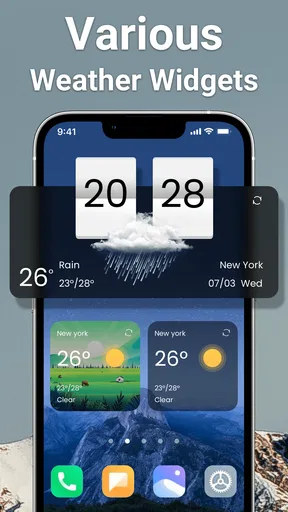
The main strength of this setup is the choice between a glance and a closer look. A widget can put a brief weather check on the home screen, while the app gives me more context when the forecast may affect a walk, a commute, or an outdoor appointment. I would start with a modest widget and only add more detail if I found myself opening the app repeatedly; a home screen is most helpful when it answers a question quickly, not when it becomes another display to manage.
That distinction also shapes my expectations for speed. For an ordinary check, the widget is the convenient route, while a radar view naturally asks me to spend longer looking at the screen. I would not judge the whole experience by how quickly a map becomes useful on a particular connection or day. Instead, I’d use the compact view for routine decisions and open the fuller forecast when timing or changing conditions matter.
Making the radar useful for real plans
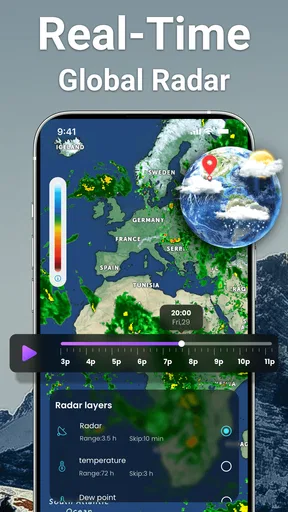
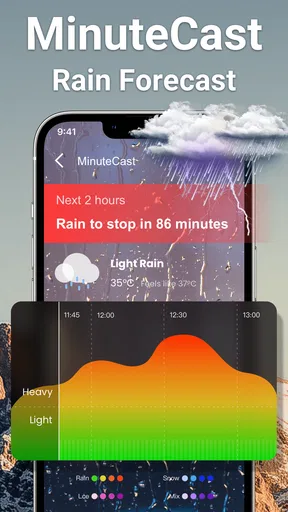
Radar is easier to act on when I begin with a specific question: is rain moving toward the area where I’ll be, or can I wait before leaving? Zooming in can help me focus on the local picture; zooming back out gives the surrounding pattern more context. I find that switching between those scales is more useful than staring at a detailed map without a plan. A radar image can help with timing, but it should not be treated as a guarantee that a particular street will stay dry.
For example, before taking a dog out, I might check the daily outlook first, then use radar if the sky looks uncertain. If the map suggests a shower is nearby, I can decide whether a shorter walk now makes sense or whether to wait. That is a practical use of the app’s combination of overview and map, without turning every forecast check into a weather research session.
For a longer drive or an event where weather has serious consequences, I would use this app as one input rather than my only source. A local forecast is handy for everyday planning, but I’d also pay attention to official alerts and conditions around the destination. The useful habit is to check the relevant place and time, not simply assume that the weather at home tells the whole story.
Widgets, alerts, and a calmer routine
The widget customization is more than decoration if it makes the information readable on your particular home screen. I would adjust the transparency and font size for contrast before spending time trying multiple styles. A widget that blends into a busy background may look neat but be slower to read; a clear background and comfortable text are better when I’m checking conditions on the way out the door.
Worth Reading Before You Choose

Baby Panda World Brings Quick Play to Modern Phones, but Its Game Library Feels Busy

ESPN’s Live Game View Makes Following Close Games Easier

QuizzLand Review: A Good Fit for Short Trivia Breaks, Not Every Player

Basketball Stars: Multiplayer Is Fast, but Can It Recover When Matches Go Wrong?

WEBTOON Turns Phone Updates Into a Better Reading Routine

Link to Windows Runs on Shared Habits, Not Social Feeds
There is a small trade-off in relying on a widget: it is convenient, but I would still open the app when I need the broader forecast or radar context. I also would not keep adding widgets just because several layouts are available. One useful glance is often better than several competing panels, especially if you want the home screen to stay uncluttered.
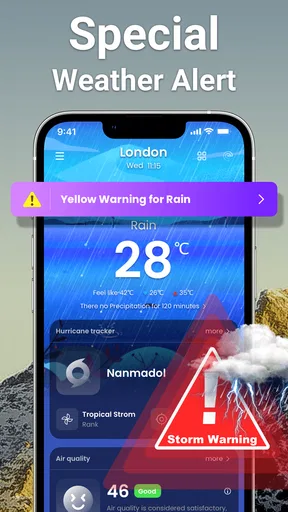
Alerts are most helpful when they support decisions rather than interrupt every routine check. I’d treat them as a prompt to look again, especially before an outdoor plan, and use the app’s forecast or radar to understand what the alert means for me. If frequent notifications become distracting, reviewing alert choices in the app or device settings is a sensible step; the goal is to hear about conditions that affect plans, not to turn weather into a constant interruption.
Who will get the most from it
I think this app suits people who want an everyday forecast, an at-a-glance widget, and a radar view in one place. It makes sense for someone who checks the weather before walking, commuting, gardening, or choosing when to run errands. The extra air-quality and moon-phase information can also be useful if those details already influence your plans or interests, rather than being features you feel obliged to check every day.
It may be less suitable for someone who wants only a single temperature on screen and has no interest in maps or extra forecast details. A simpler built-in weather tool may be enough in that case. Likewise, people who need highly specialized forecasting for professional, aviation, or emergency decisions should use tools intended for those needs and consult authoritative guidance. The appeal here is a convenient collection of everyday weather information, not a replacement for expert services.
Compared with the usual alternatives, such as a basic phone weather panel or a single-purpose forecast app, the main difference is the combination of widgets, radar, alerts, and supporting details. That can reduce app switching if you actually use those pieces. If you only want a brief daily outlook, the additional views may add little; if you often check both the forecast and the movement of rain, bringing them together is more worthwhile.
First Impressions and Features
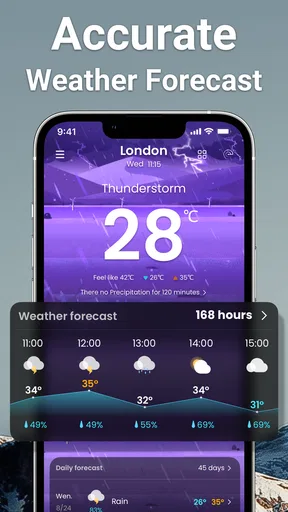
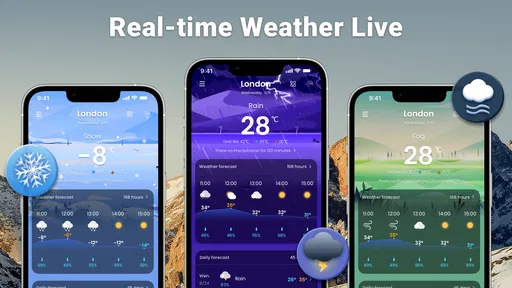
Right off the bat, the interface is slick and intuitive, which I absolutely love. It’s like the developers knew exactly what we weather enthusiasts wanted. You get a clean, easy-to-navigate screen that doesn’t bombard you with unnecessary clutter. The main dashboard presents the current weather, complete with temperature, feels-like temperature, humidity, and wind speed. It’s everything you need at a glance.
One of the standout features is the live radar. I’m a bit of a weather geek, so seeing real-time radar maps is like candy for my inner nerd. You can zoom in and see what's happening in your neighborhood or zoom out for a broader view. The radar animations are smooth, and the data is pretty spot-on from what I’ve experienced so far.
Widgets Galore
Now, let's talk widgets. Who doesn’t love a good widget? They’ve got a variety of sizes and styles, so you can pick one that fits perfectly on your home screen. I found myself switching them out just to see how they look, and they’re all pretty nifty. Plus, they update frequently enough to keep the information relevant without draining your battery.
One feature of the widgets I appreciate is the customization. You can tweak the transparency, font size, and even the background color. It’s a small detail, but it makes all the difference in making the app feel like it’s truly yours.
Functionality and User Experience
Functionality-wise, the app is a breeze. Weather alerts pop up when you need them, and they’re detailed enough to keep you informed without being overwhelming. I’ve found the forecasts to be pretty accurate, which is a huge plus. Nothing’s worse than getting caught in the rain because your weather app was a little too optimistic.
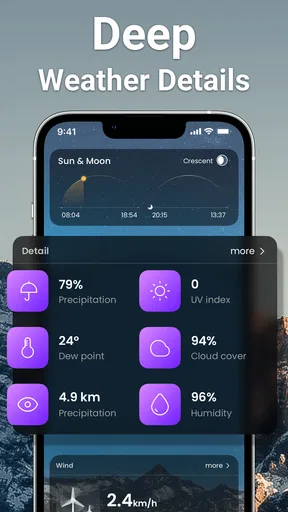
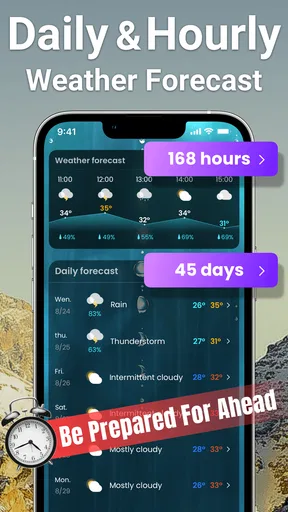
There’s also a daily summary that’s quite handy. It gives you a quick overview of what to expect each day, from sunrise to sunset. I like scrolling through it in the morning to get a sense of what my day will look like. Plus, for the data lovers out there, there’s a ton of extra details you can dive into if you want to geek out a bit more.
Additional Perks
One of the neat extras is the air quality index feature. If you’re in an area where air quality can be an issue, this is super useful. It gives you a heads-up on whether it’s a good day to head out for a run or if you should maybe stick to indoor activities.
There’s also a moon phase tracker for those who are into astronomy or just enjoy gazing at the night sky. It’s a delightful little addition that rounds out the app’s offerings nicely.
Performance, compatibility, and value
For routine use, I’d expect the quickest experience when checking a compact widget or the current conditions, and a more involved one when exploring animated radar or extra details. The practical performance question is less about chasing a particular loading speed and more about whether the app gives you enough context before you need to leave. I’d check the forecast ahead of a time-sensitive plan rather than waiting until the last moment to investigate a map.
Stability also matters in a weather app because people tend to reach for it when conditions are changing. My approach would be to keep the app and widget setup simple at first, then add the views I regularly use. If a screen seems slow or information looks stale, reopening the app and checking the relevant location is a reasonable first step; for an urgent weather decision, I would not rely on one screen alone.
As a free weather app, it is easy to try without paying up front. Optional in-app purchases range from $5.99 to $9.99 per item, so I’d explore the everyday tools first and only consider a purchase if I know it adds something I genuinely want. The app is rated for Everyone, and its current version is 2.1.0; it requires Android 6.0 or later. Those details make it relevant to many Android users, though the device’s own software support remains important when choosing any app.
Its audience is substantial: the app has a 4.7 average from around 393,000 ratings, with more than 10 million installs. Weather Forecast & Widget & Radar is the developer. It was released on December 21, 2020, and has about 27,000 written reviews. I see those figures as useful context for a prospective user, not proof that every forecast will match every local situation.
What I would check before relying on it
On the first day, I’d make sure the app is showing the place I actually care about, then compare the daily summary with the radar before making a weather-sensitive plan. For trips, that means checking the destination as well as home; for a regular commute, it means looking at conditions near the time I’ll travel. This simple routine helps avoid a common mistake: treating a convenient local glance as a forecast for every place on the day’s schedule.
I would also decide what information deserves space on the home screen. If I mainly need current conditions, a compact widget is likely enough. If I often change plans based on rain, the radar is the more valuable reason to open the app. Air quality and moon phases are useful extras for particular routines, but they need not become part of a daily checklist if they do not affect your choices.
There is no single weather app that is best for every situation. A built-in forecast can be simpler for quick checks, while a specialist service may be preferable when you need a narrowly focused or authoritative source. This app’s strength is breadth for everyday use; its trade-off is that a person who only wants a minimal forecast may see the additional options as unnecessary.
The Final Word
In the end, the Weather: Live radar & widgets app is a fantastic tool for anyone who wants to stay ahead of the weather. It’s user-friendly, packed with useful features, and looks great while doing it. Whether you’re planning your day or just curious about the next storm, this app has got you covered.
So, if you’re on the fence about downloading it, I’d say go for it. It’s one of those apps that just makes life a little bit easier, and who doesn’t want that?
Pros
- Accurate real-time weather updates
- Customizable widgets for home screen
- Detailed weather maps and radar
- User-friendly interface design
- Alerts for severe weather conditions
Cons
- Ads can be intrusive at times
- Premium features require subscription
- Occasional loading delays
- Limited offline functionality
- Some features need more localization
FAQs for Weather Radar, Live Radar
What features does Weather: Live Radar & Widgets offer?
Weather: Live Radar & Widgets provides real-time weather updates, interactive radar maps, customizable widgets, and detailed forecasts. Users can view hourly and weekly predictions, track severe weather alerts, and personalize the interface with various themes and widget sizes. It’s designed to keep you informed and prepared for any weather condition.
Is Weather: Live Radar & Widgets free to use?
The app offers a free version with basic features, including current weather updates and limited radar access. For advanced features like ad-free experience, premium widgets, and extended forecast details, users can opt for a subscription. The app provides both monthly and yearly payment options, allowing flexibility based on user preferences.
How accurate is the weather data provided by the app?
Weather: Live Radar & Widgets sources its data from reliable meteorological services, ensuring high accuracy. The app updates frequently to provide the latest information. Users can rely on its detailed forecasts and real-time alerts for planning daily activities or travel. However, weather conditions can change rapidly, so periodic checks are recommended.
Can I customize the widgets in Weather: Live Radar & Widgets?
Yes, the app allows extensive customization of its widgets. Users can choose from various sizes, themes, and data displays to match their home screen aesthetics. Whether you prefer minimalistic designs or detailed reports, the app provides options to tailor the appearance and information shown by the widgets.
What devices are compatible with Weather: Live Radar & Widgets?
The app is available for both Android and iOS devices. It supports a wide range of smartphones and tablets running recent operating systems. Users should ensure their device meets the minimum system requirements for optimal performance. Regular updates are provided to maintain compatibility with the latest software versions.


